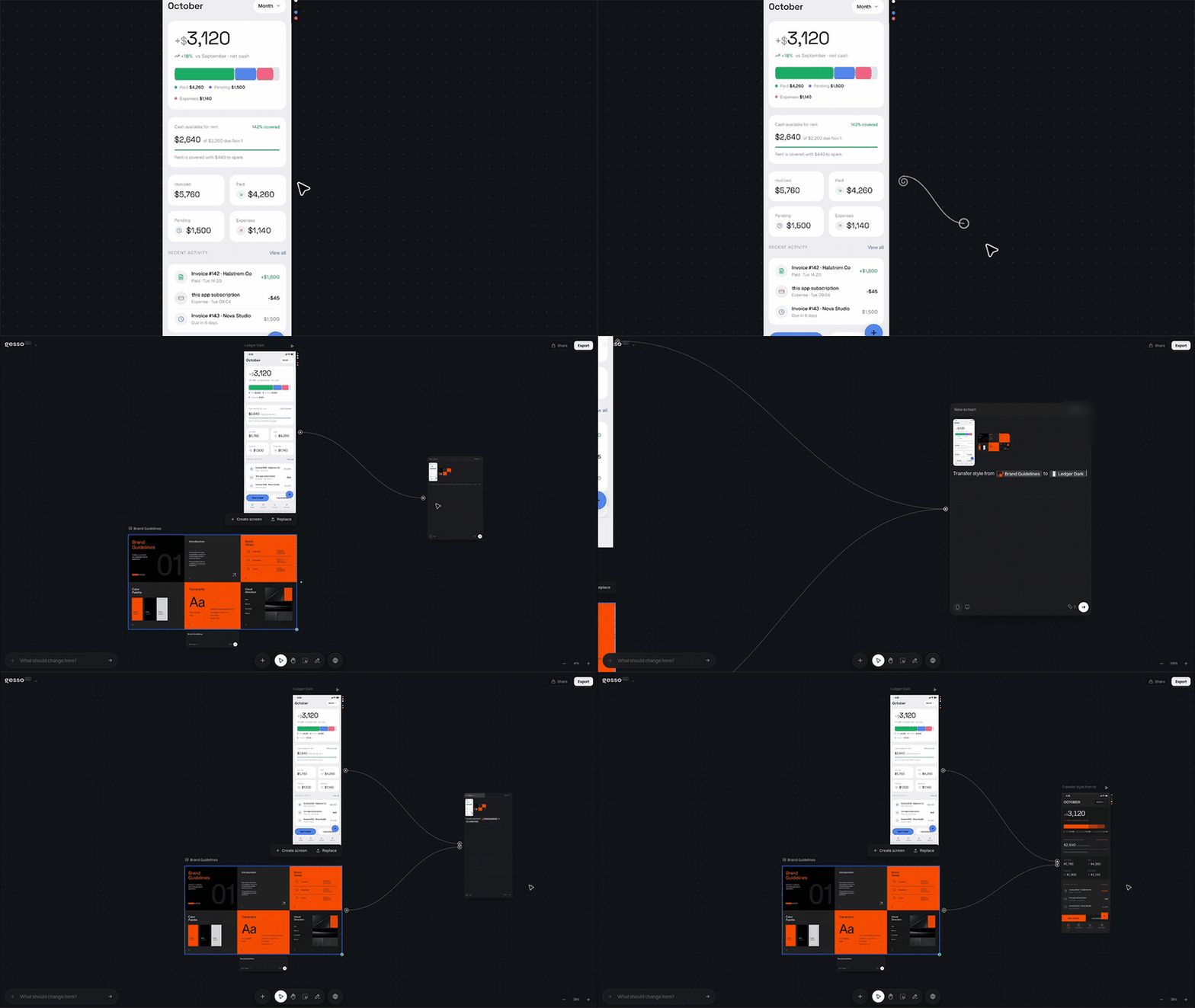
Connect with the port
1
Drag the port
Drag it onto another screen, an image, or an empty spot on the canvas.
Dropping on empty canvas opens a New screen card right where you let go.
Dropping on another artboard connects both of them. Press Esc to cancel.
2
Say what you want
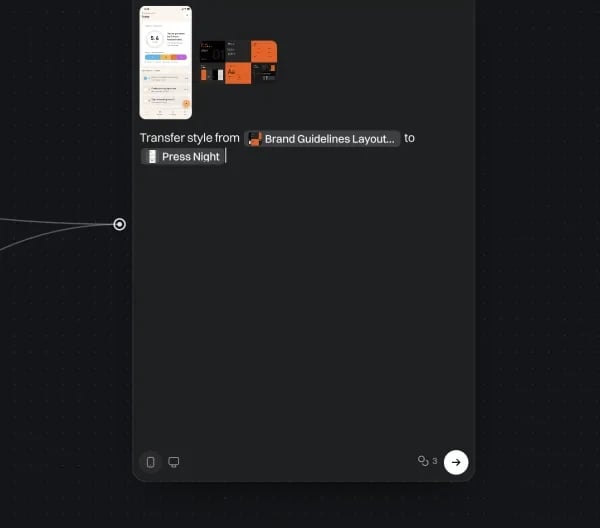
The connected pieces show as chips in the card. Describe what to make from
them, and type @ to refer to any artboard by name.
3
Send
The new screen streams in beside its sources, connected by lines so you
can see what it was built from. The lines show when you select it.
Things to try
- Transfer a style: “Transfer style from @brand-board to @checkout”.
- Combine two screens: “Keep the layout of @home and the cards from @explore”.
- Finish a wireframe: connect a sketch or an uploaded wireframe and say what the screen is for.
- Rebuild a screenshot: upload a screenshot, select it and choose Create screen on its bar. See Images.
Start from the + menu
The + button on the toolbar adds a node without dragging:
You can also drag files straight onto the canvas. A Markdown or text file
lands as a reference document the next designs can read.